
What is TaskForge?
TaskForge is a multi-tenant project-management app. Teams organize into organizations, organizations contain projects, and each project gets a drag-and-drop Kanban board with a built-in analytics dashboard: a Gantt-style timeline, a weekly velocity chart, a priority distribution donut and a live activity feed, all on one screen.
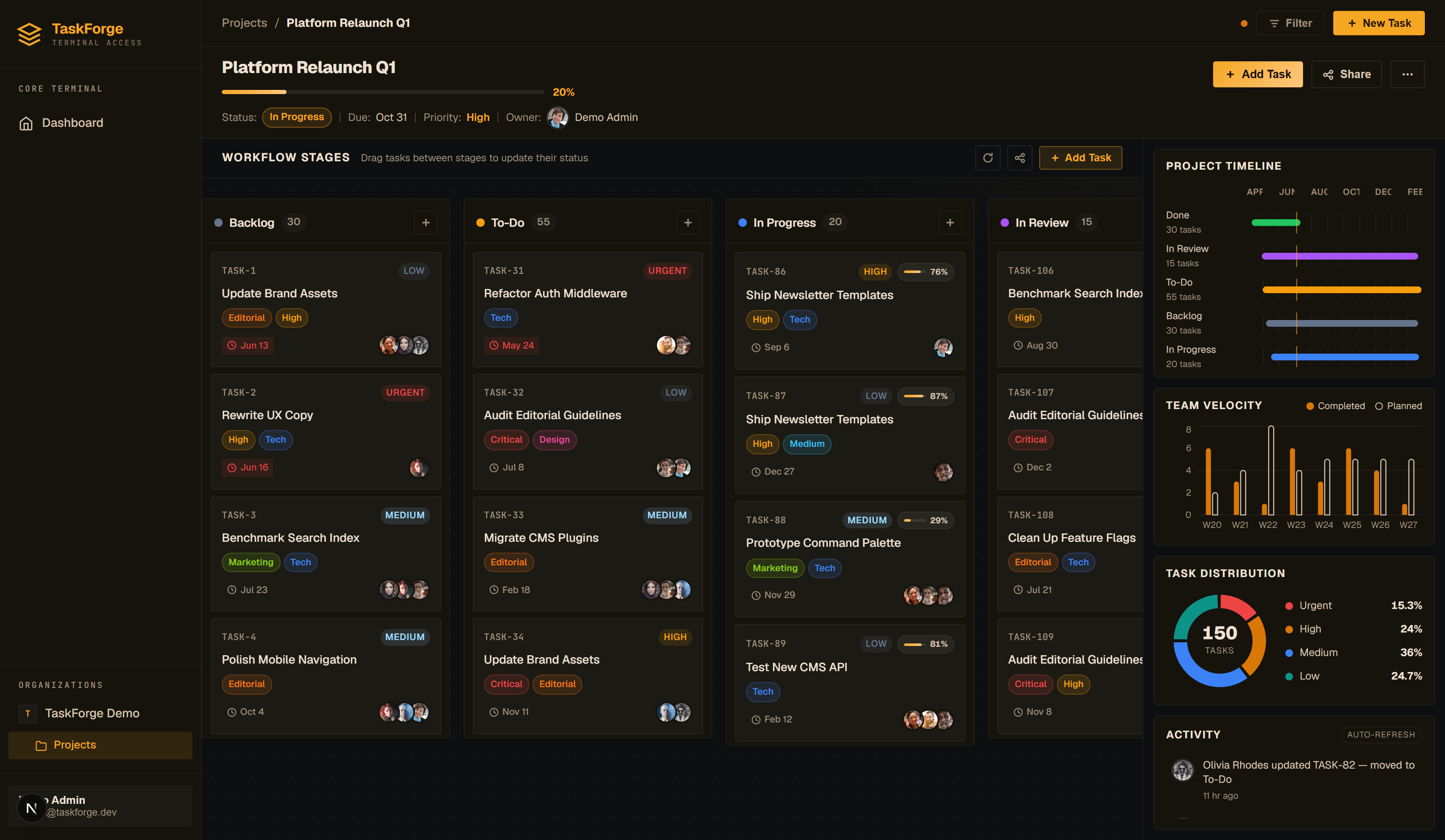
It ships in four parts:
| Part | What it is | Where it runs |
|---|---|---|
| Web app | Next.js 16 + React 19 UI | taskforge-app-869.netlify.app or self-hosted |
| Desktop app | The same UI in a native Tauri 2 shell | Windows (MSI / NSIS installers) |
| Mobile app | A Flutter app on the same API and accounts | Android (APK); iOS builds from source |
| API | Django 5 + DRF backend with JWT auth, WebSockets and OpenAPI docs | Hosted on Render or self-hosted |
What it does
- Organizations & roles: invite teammates as Admin, Member or Viewer; every piece of data is isolated per organization.
- Projects: status, priority, due date and an automatic progress figure computed from completed tasks (or an explicit override).
- Kanban board: customizable workflow columns, drag-and-drop cards, multi-assignee avatars, colored labels, due-date chips and progress pills.
- Project dashboard: timeline, velocity, distribution and activity panels that update as the team works.
- Import / export: projects round-trip as JSON templates; boards also export as PDF reports.
- Notifications: an in-app bell tracks assignments and mentions.
Who it's for
Small teams that want the "board + reporting" combination without wiring two products together, and developers who want a clean, documented REST API underneath (reference here). Every screen in the UI is built on public endpoints you can call yourself.
Next steps
- Quickstart: from sign-up to a working board.
- The mobile app: install TaskForge on an Android phone.
- Self-hosting: run the whole stack yourself.
- Demo data: explore a fully populated demo project.