
Prairie: The GUI
Prairie is a desktop client for BisonDB in the spirit of MongoDB Compass, built with Tauri 2 and React. It speaks the same wire protocol as every other client and adds one trick the CLI tools don't have: it can run a local database with zero setup by spawning a bundled bisond on a private port.
Download the installer from the Prairie releases page or build it from source.
Connecting
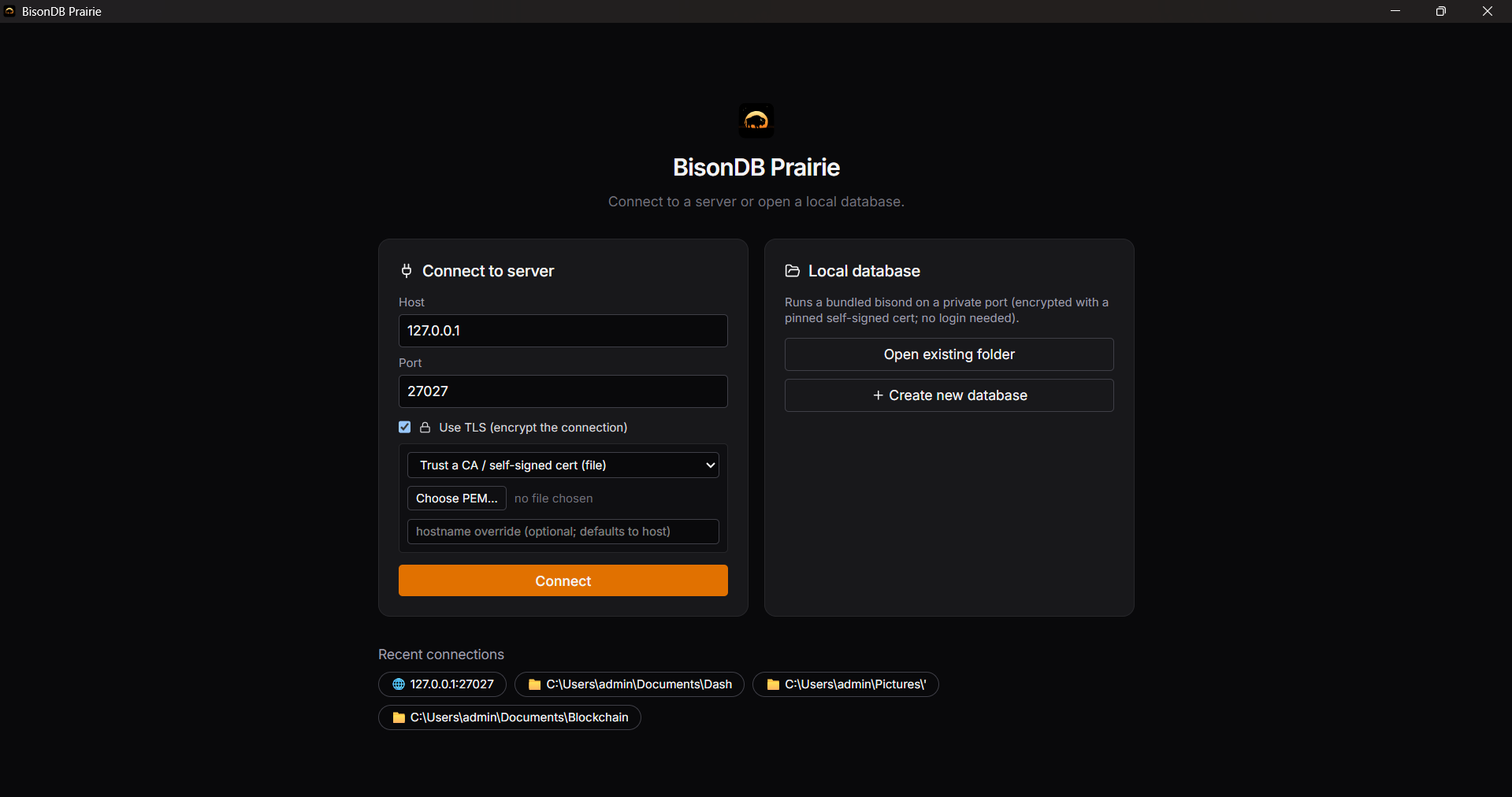
Two paths from the connection screen:
- Connect to server: host and port of a running
bisond, with optional TLS and a login (see below). - Local database: pick (or create) a folder; Prairie starts a bundled
bisondsidecar for it on an ephemeral port and shuts it down when you disconnect or close the app. The sidecar runs over a self-signed cert whose fingerprint Prairie pins automatically, so a local database is encrypted and verified with no login required.
Recent connections are remembered (host, port, username, and TLS preferences) but never passwords or tokens. On connect, Prairie checks the server's protocol version and refuses to proceed against an incompatible server with a clear explanation rather than failing on a later command.
TLS
For a remote server, tick Use TLS and choose how the certificate is trusted, mirroring the engine's verification modes:
- System trust: verify against the OS trust store and hostname (for a CA-signed cert).
- Trust a CA / self-signed file: point at the server's
cert.pem(the usual self-signed path, e.g. one made withbisonc tls gen-cert). - Pin a fingerprint: paste the SHA-256 that
bisond --tls-self-signedprints. - Insecure (skip verification): development only; the workspace then flags the connection as encrypted-but-unverified.
A plaintext-vs-TLS mismatch surfaces as a clear message (the common "10054" case) rather than a raw socket error.
Logging in
If the server requires authentication, Prairie shows a login step (username + password). On a brand-new server with no users yet, it instead shows a first-run setup screen that bootstraps the first admin. Session tokens are held only in the Rust backend (never in web-accessible storage), and Prairie transparently re-authenticates if a token expires.
The workspace
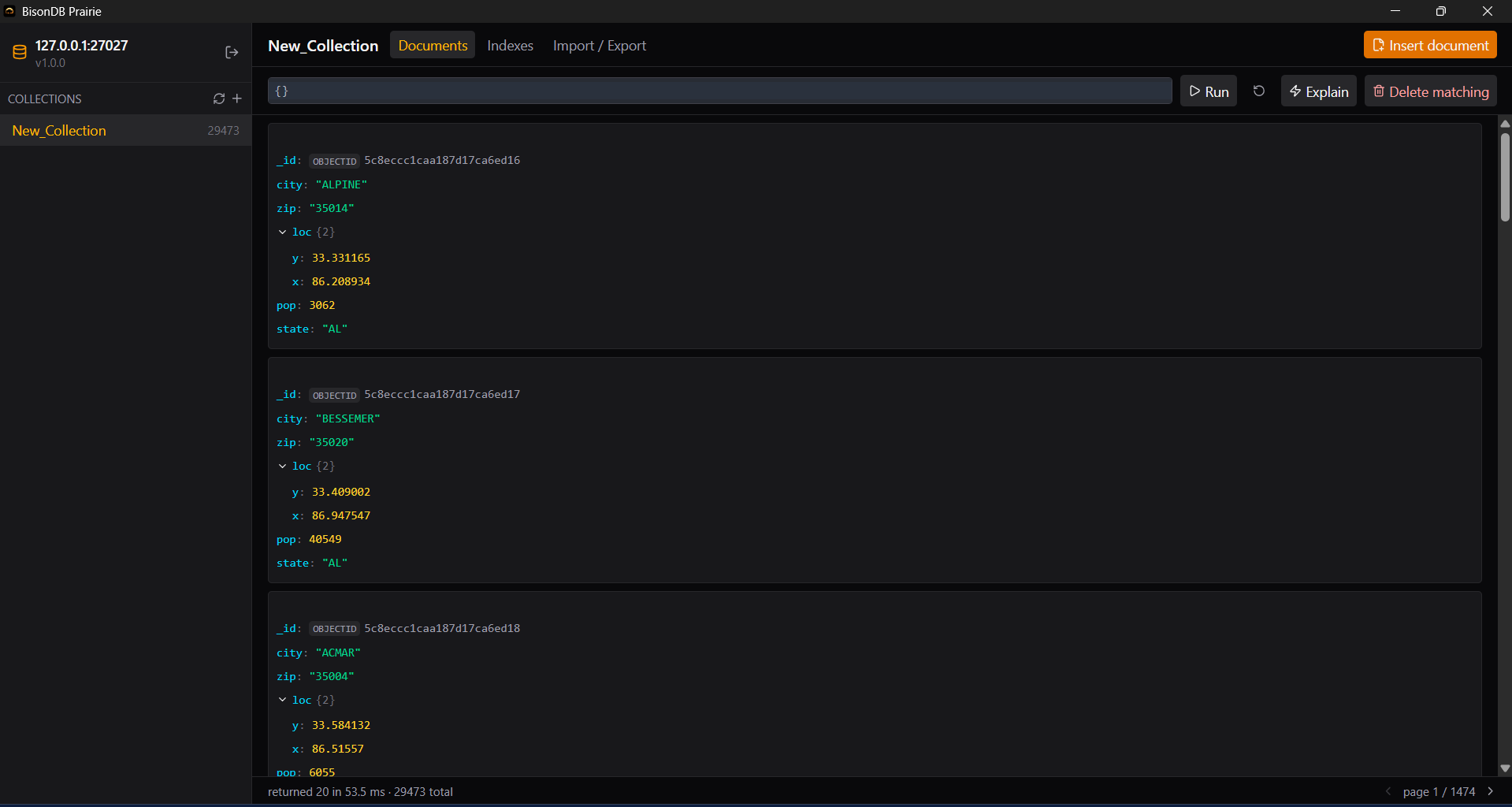
- Header: the server endpoint, the logged-in user, and a lock indicator showing the transport at a glance: encrypted and verified, encrypted but unverified, or plaintext. ⌘/Ctrl-K opens the command palette (below); the header also holds Log out and, for admins, the Users panel.
- Sidebar: collections with live document counts, create (name validation matches the server's rules), drop (type-the-name confirmation), and compact.
- Documents tab: paginated browser (20/page) rendering each document as a collapsible tree with type badges for ObjectId, dates, and Decimal128. Hover a document for copy, edit, and delete.
- Query bar: a CodeMirror editor with JSON linting; invalid filters disable Run with the lint message inline. Filters are remembered per collection.
- Explain toggle: runs the same filter through
explainand shows the plan badge (scan/index_range/index_point), documents examined vs returned, and (when a single-field filter scans) a hint to create the index that would fix it.
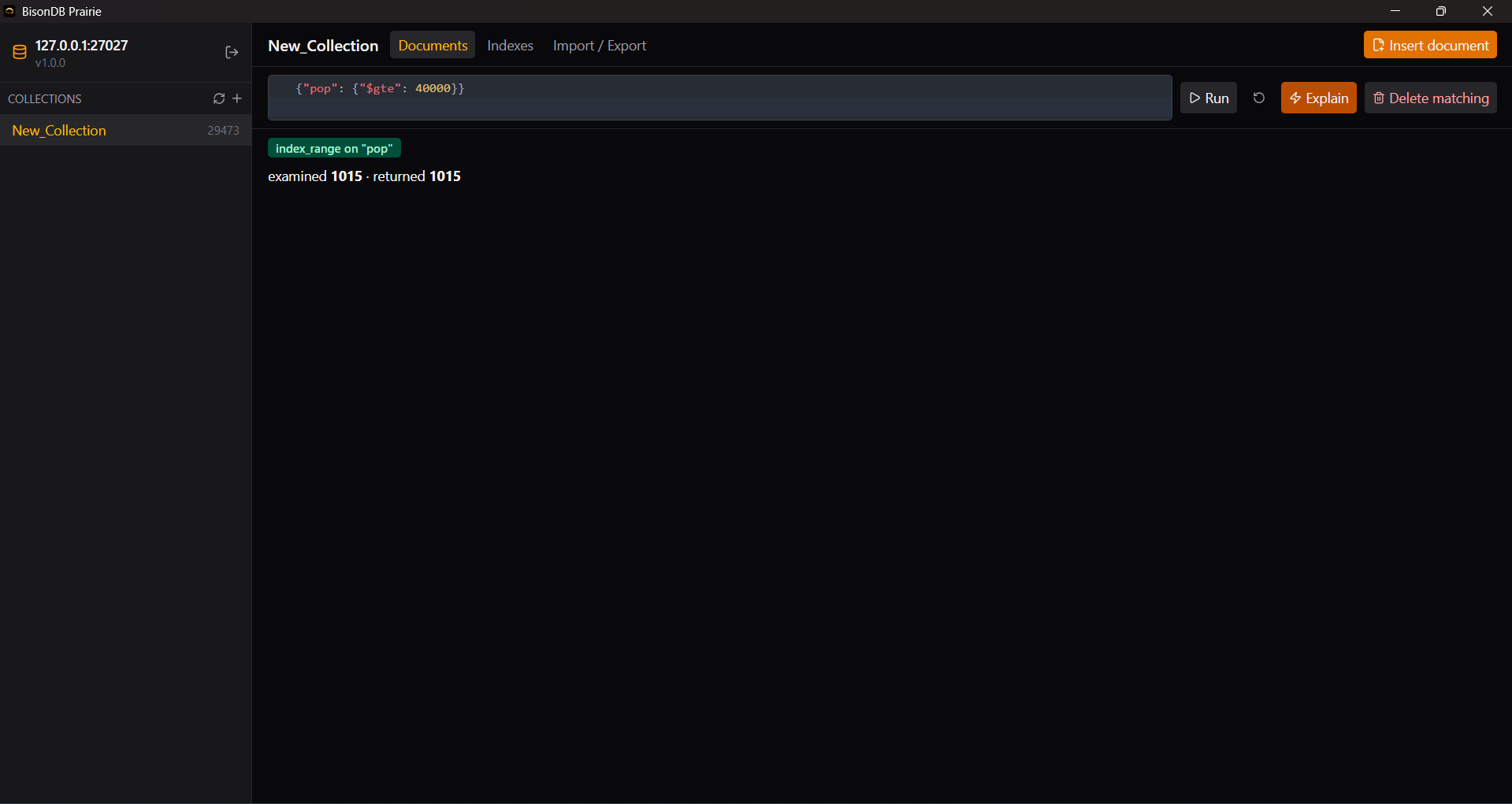
The same {pop: {$gte: 40000}} query examines all 29,473 documents as a scan, but only 1,015 once an index on pop exists; this shows the B+Tree turning a full read into a range seek, visible in one badge.
Editing and deleting
Inserts accept one document or an array, with server errors (like DuplicateKey) shown in the modal. Edits compute the changed top-level fields and send them as a $set. Removing a top-level key is rejected with an explanation, because the wire protocol has no removal operator.
Destructive actions are deliberately high-friction: per-document deletes confirm against the _id, "Delete matching" shows the filter and its match count and requires typing DELETE, and an empty {} filter adds an explicit this deletes ALL documents warning.
Import / Export and indexes
- Import:
.bson(concatenated documents, e.g.mongodumpoutput),.json, or.jsonl, streamed in batches with a progress bar. - Export:
json,jsonl,bson, orcsv(export-only; top-level fields become columns), for the whole collection or the current filter. - Indexes tab: list every index on the collection, create one on a field (dotted paths like
address.zipallowed), and drop it. Creating an index reports how many documents were indexed.
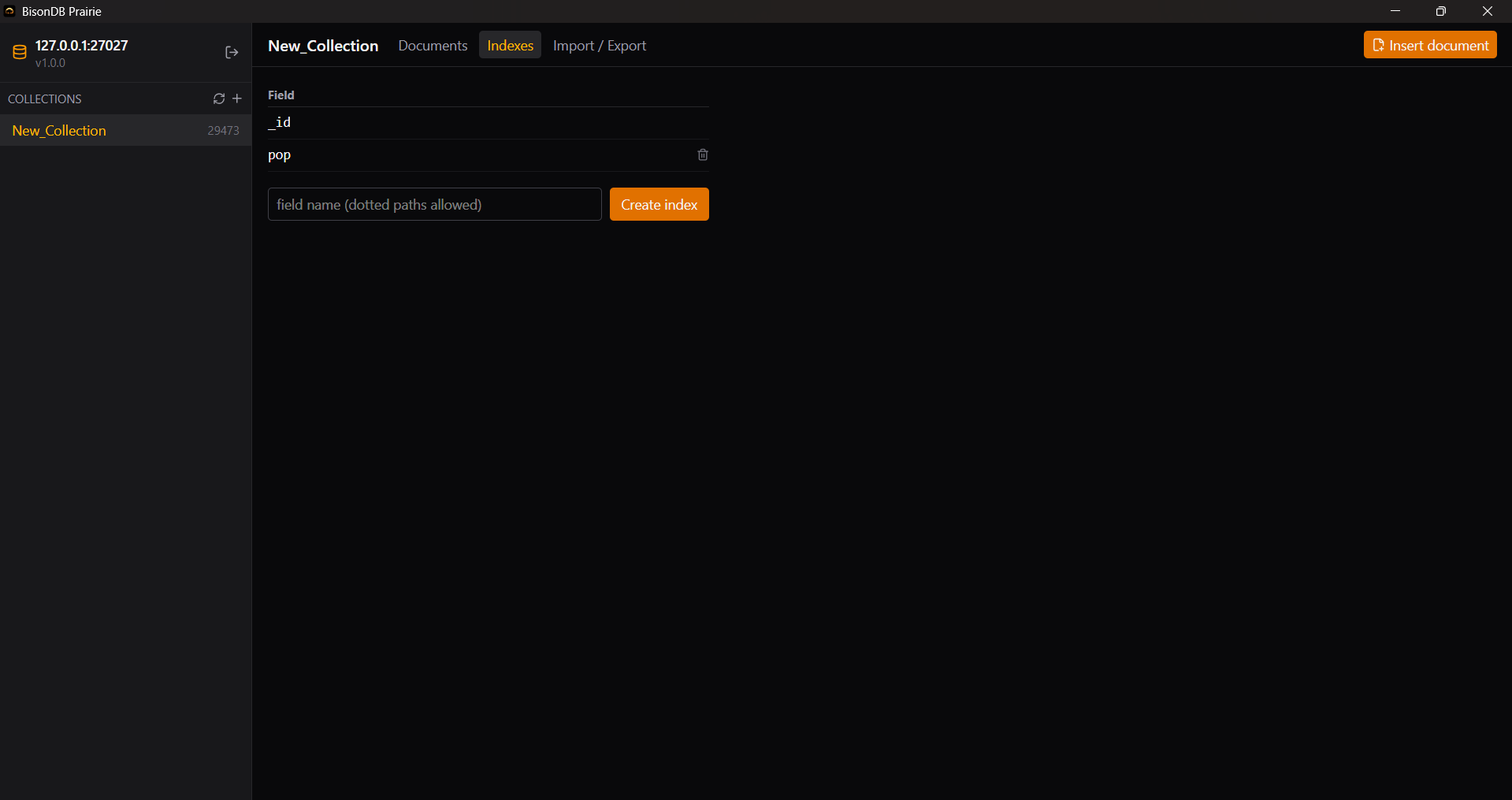
Why index? An index lets equality and range filters seek straight to matching documents instead of scanning the whole collection. Use the Explain toggle to spot a scan, create the index it suggests on the Indexes tab, then re-run Explain to watch the same query become an index_range/index_point that examines only the matches. Each index covers one field; _id is always indexed and unique. (Background: the B+Tree and query engine.)
Users and roles (admins)
When connected as an admin, the Users panel lists every account and lets you create a user (choosing a role), reset another user's password, and drop a user. These are the same operations as the shell's auth commands, with the same anti-lockout protection on the last admin.
Prairie is role-aware: a read-only user sees the data but has insert / edit / delete / create-index / import controls hidden or disabled, so the UI never offers an action the server would reject. The three roles (read / readWrite / admin) and exactly what each can do are documented on the Security page.
Command palette and shortcuts
Press ⌘K (macOS) or Ctrl-K (Windows/Linux) to open the command palette: type to fuzzy- find a collection and jump to it, or run an action (create collection, refresh, log out, …). Arrow keys navigate, Enter runs the selection, and Esc closes it, which is the same key that dismisses any modal.
Motion and theme
Prairie uses a small, restrained motion system (framer-motion): modal and toast transitions, route cross-fades, a slide between the Documents / Indexes / Import-Export tabs, a capped document-list stagger, and skeleton loaders. All motion honors prefers-reduced-motion; turn the OS setting on and the animations reduce to instant state changes. The theme is a dark, amber-on-neutral palette on the Inter typeface.